neuscreen: A Screen Recorder Built for AI Agents, Not Just Humans
Loom and its peers were designed for an audience that was always a person. Half of my recordings' audience is now Claude Code. Why I built an AI-first screen recorder, what a context manifest actually captures, and why the source is public.
Mohan Kumar
Author
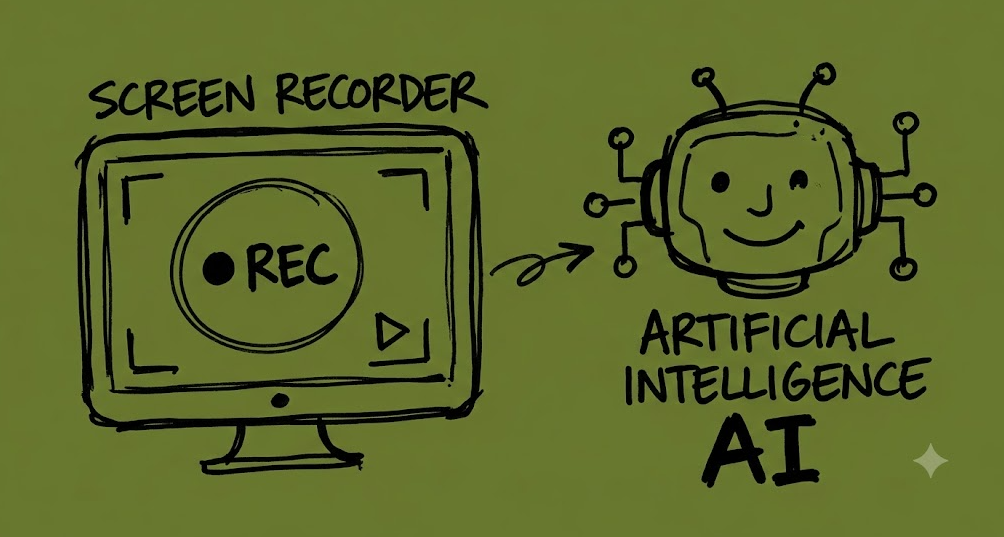
Here’s a workflow I kept running into. I’d hit a bug in a web app, record a quick Loom to show a teammate, and paste the link. That works fine for a human — they watch thirty seconds, they get it. Then I started handing the same bugs to Claude Code instead, and the workflow fell apart immediately. I’d paste a video link and get back the digital equivalent of a shrug. The agent can’t watch a video. So I’d end up transcribing my own recording back into text: “I clicked the Save button, the console threw a 500 from /api/orders, the modal didn’t close.”
That transcription step is the whole problem. Everything the agent needed — the selector I clicked, the request that failed, the error that got thrown — was right there in the browser while I was recording it. The recorder just didn’t keep it. It flattened all of that into pixels and threw the rest away.
So I built neuscreen: an AI-first screen recorder. It’s in beta, hosted at neuscreen.app, and as of today the source is public at github.com/neupilot/neuscreen-ai.
Recorders were built for an audience of one human
Loom, Vidyard, CleanShot, the whole category — they’re good products, and they were designed correctly for the problem they were solving. The assumption baked into all of them is that whoever watches the recording is a person sitting in front of a screen. That assumption held for a long time. It doesn’t anymore.
A video is a genuinely great medium for a human. You watch, you understand instantly, you don’t need it described to you in words. But a video is a terrible medium for an AI agent. An agent can’t watch fifteen seconds of a modal not closing and infer that the POST /api/orders call returned a 500. It has no eyes in the sense that matters here — even a multimodal model asked to “look” at a video is reconstructing an approximation of pixels, not reading the DOM selector you actually clicked or the exact error string the console threw.
The part that bothers me isn’t that video is opaque to agents. It’s that the structured truth was available and got discarded on purpose. At the moment you click a button, the browser knows exactly what element you hit, what its accessible name is, what request fired, what the response looked like, what changed in the DOM afterward. A screen recorder sits right there watching all of it happen — and encodes it into an MP4, which keeps none of it. Everything specific gets thrown away in favor of everything visual.
Which means the human ends up doing the worst possible job in this loop: hand-transcribing their own recording back into text so an agent can use it. You watched yourself click the button. You already knew what happened. Now you’re typing it out a second time, from memory, less precisely than the browser could have told you the first time.
Screen recording as a category just hasn’t caught up to the fact that half of a recording’s audience is now a machine. neuscreen is my attempt to build a recorder that assumes that from the start, instead of bolting it on.
What actually gets captured
A normal recorder gives you an MP4. neuscreen gives you the video plus a context manifest — a structured, timestamped trace of what actually happened in the page while you were recording:
- Click targets, with the DOM selector and the accessible (aria) name of what you clicked
- Console output, including errors thrown mid-interaction
- Network calls — method, status, duration, content type, response preview
- DOM mutations — which elements appeared or disappeared in response to an interaction
- Screenshots, sampled through the recording
- A timestamped transcript of whatever you narrated
Every event carries a t offset in seconds, so the video and the trace stay in sync — an agent reading the manifest can point at the exact frame a given click corresponds to. The event types are click, input, scroll, navigate, console, network, page-start, and screenshot. A click that triggers a failing request looks roughly like this:
{
  "t": 14.2,
  "type": "click",
  "selector": "button.checkout-submit",
  "aria": "Place order",
  "position": { "x": 842, "y": 611 },
  "response": {
    "domChanged": true,
    "newElements": ["div.error-banner"],
    "consoleErrors": ["Uncaught TypeError: cannot read 'id' of undefined"],
    "networkCalls": [
      {
        "url": "/api/orders",
        "method": "POST",
        "status": 500,
        "durationMs": 892,
        "contentType": "application/json",
        "preview": "{\"error\":\"order_total_mismatch\"}"
      }
    ]
  }
}
The clever part isn’t any one of those fields — it’s the correlation. An event isn’t just “a click happened.” It’s “a click happened, and these specific things occurred in the following few hundred milliseconds”: this console error, this failed request, this element appearing. That windowing is what turns raw browser noise into a signal an agent can actually reason about. Without it you’d just have a firehose of every click and every network call for the whole session, with no way to tell which ones belong together.
Handing it to an agent
The recordings are exposed through an MCP server, so you paste a recording link into an agent like Claude Code and it reads the structured context directly, without you narrating anything back to it. Four tools:
| Tool | Returns |
|---|---|
get_recording_context | Everything — page info, events, DOM mutations, network calls, transcript |
get_recording_screenshots | Base64 JPEG frames with timestamps, evenly sampled |
get_recording_events | The interaction timeline on its own |
get_recording_transcript | Timestamped transcript from the narration |
In practice the loop is: hit record, reproduce the bug while talking through it out loud, stop, paste the link. The agent already knows which button you clicked, what the console said, and which request failed.
The screenshots tool exists for a specific failure mode the manifest alone can’t catch: sometimes the markup is correct and the rendering isn’t. Layout bugs, z-index issues, an element that’s technically in the DOM but visually stacked behind something else. No amount of selector and mutation data tells an agent that a modal is rendering off-screen — it has to actually look, so the tool gives it evenly sampled frames to look at.
How it’s put together
Four independently installed apps, roughly 9,000 lines total, about five months of development:
| Path | What it is | Stack |
|---|---|---|
apps/extension | Chrome MV3 extension — screen capture, page instrumentation, chunked upload | Vanilla JS, ~2,700 lines |
apps/web | Auth, dashboard, public viewer | Next.js 16, React 19, Tailwind 4, ~4,300 lines |
apps/server | REST API — recordings, uploads, transcription, summaries | Express, Drizzle, Postgres, ~1,700 lines |
apps/mcp | MCP server exposing recordings to agents | MCP SDK over stdio, ~400 lines |
The extension is where the instrumentation lives. A content script hooks click handlers, wraps fetch and XMLHttpRequest, patches the console, and runs a MutationObserver scoped to each interaction window. Storage runs on Cloudflare R2 through the S3 SDK, Postgres on Neon via Drizzle, transcription through Deepgram, summaries through Claude. The API runs on Render, the web app on Vercel.
It’s honestly still rough in places. There’s no test suite yet — CI runs typecheck and lint, and adding real test coverage is the thing I’d most like to fix next. The extension’s first-run permission flow is clunkier than I’d like; Chrome’s permission prompts aren’t the friendliest UX to build around. It’s beta software, not a finished product.
Why the source is public
Mostly, adoption. I don’t think an AI-first way of recording your screen should exist only inside one company’s product. If the idea is right — that agents need structured context, not video, and that a recorder is a reasonable place to capture it — then more people building on that idea is a better outcome than it being one company’s moat.
The license is FSL-1.1-ALv2, source-available rather than OSI-approved open source. You can use it at work, self-host it, modify it, build on it — the one thing you can’t do is launch a competing product with it. Each release converts to Apache 2.0 automatically two years after it ships, so the restriction is temporary by design, not permanent.
neuscreen is at neuscreen.app, source at github.com/neupilot/neuscreen-ai. If you try it against your own agent workflow I’d genuinely like to hear what breaks — reach out on X @smhnkmrtweet or check out the About page.